
AI Agents (MCP Server)
Connect Claude, ChatGPT, Cursor and other AI agents to your store through the MCP server built into AI Product Tools, and decide what each one may do.
AI Product Tools runs an MCP server inside your WordPress site. MCP (Model Context Protocol) is the standard AI apps use to work with other software, so an agent such as Claude, ChatGPT or Cursor can read your products, write product content, and, if you allow it, change prices, SKUs, statuses, categories and URL slugs. You ask in plain words in the AI app you already use, for example "Write short descriptions for the hoodies that have none."
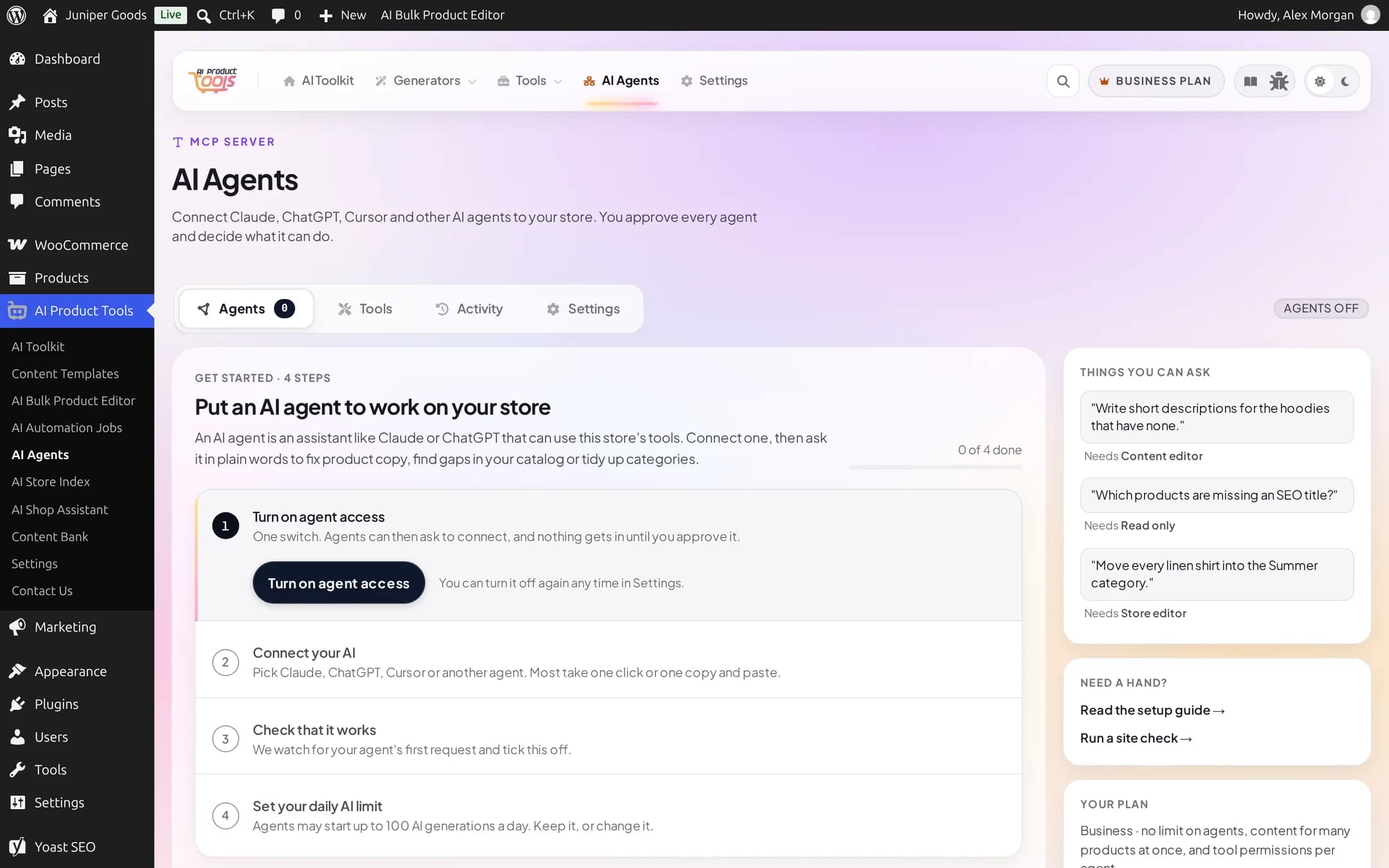
Everything happens on the AI Product Tools > AI Agents page (admin.php?page=aipt-mcp-agents). You approve every agent, choose its permission level, and every request it makes is logged.
Before you start
- A Shop Manager or Administrator account. The page and the approval screen need the
manage_woocommercecapability. - HTTPS. AI apps refuse to send credentials to a plain
http://address, and the plugin refuses them too. Local and development sites (WP_ENVIRONMENT_TYPEset tolocalordevelopment) are the only exception. - Pretty permalinks. Any setting under Settings > Permalinks other than Plain.
- An AI provider key, only for AI generation. When an agent asks the plugin to generate content, the plugin uses your own provider key from Settings > Connection. An agent can also write the text itself and save it, which uses no AI calls on your side.
Set it up in four steps
Turn on agent access
Click Turn on agent access. This one switch lets agents ask to connect; nothing gets in until you approve it. You can turn it off again under the Settings tab, which cuts every agent off at once.
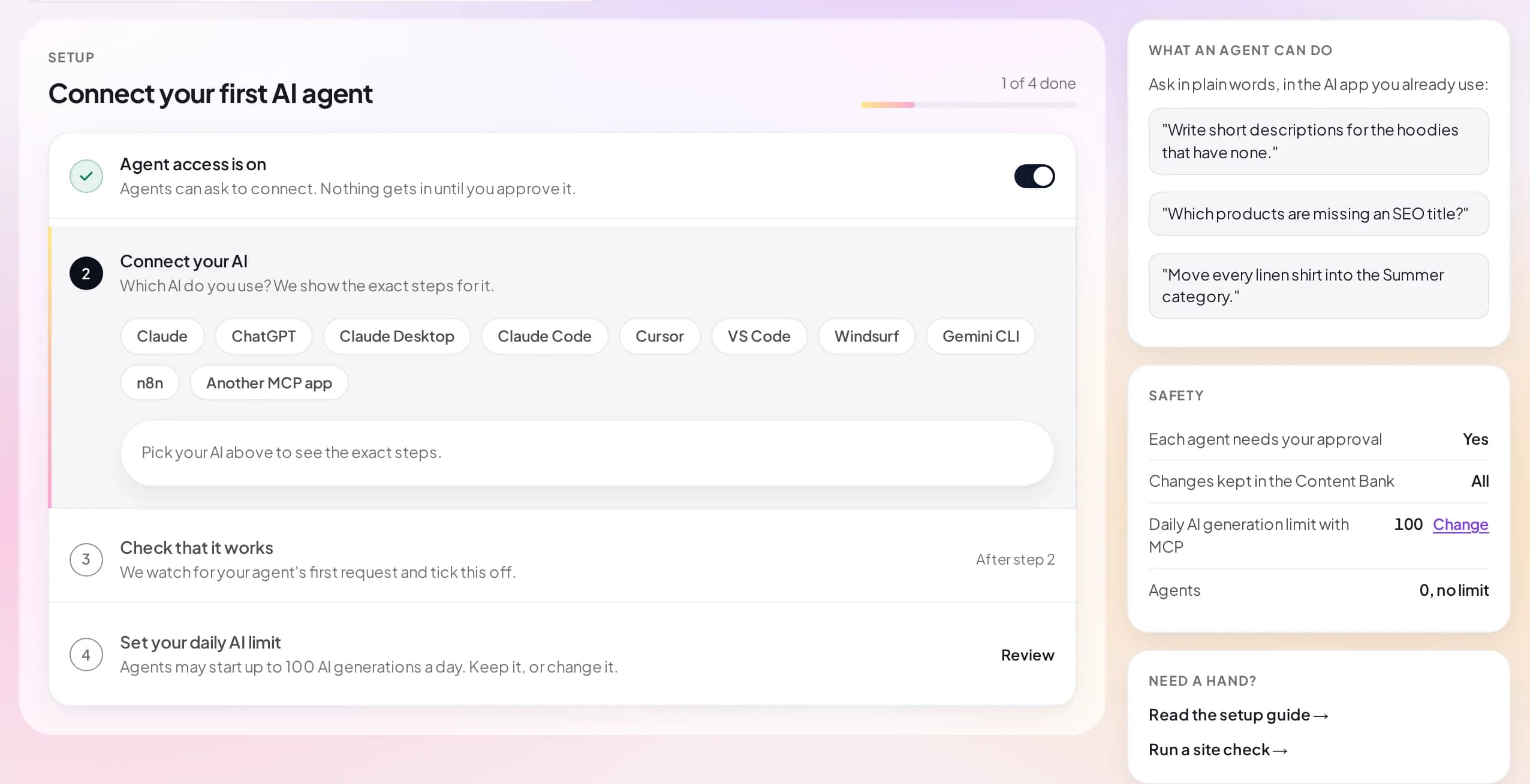
Connect your AI
Pick your app: Claude, ChatGPT, Claude Desktop, Claude Code, Cursor, VS Code, Windsurf, Gemini CLI, n8n, or Another MCP app. The exact steps for that app open right there. See Connect an agent for every app.
Check that it works
Ask the agent one thing about your store, for example "List 3 products from my store." The page watches for the agent's first request and ticks this step off by itself. You can leave the page and come back.
Set your daily AI limit
Agents may start up to 100 AI generations a day by default, all agents together. Keep it, or change it under Settings. See Settings and site check.
When the first request arrives, the checklist turns into a summary card with three next steps: a ready-made request to fill content gaps, a link to the activity log, and a shortcut to connect another agent.

The four tabs
| Tab | What it is for |
|---|---|
| Agents | Connected agents, their permission level and status, usage today, and the Connect an agent button. See Manage agents. |
| Tools | Every tool an agent can use, what it does, and a switch to turn any tool off for all agents. See Tools. |
| Activity | Every request an agent made, with filters, details and (Business) CSV export. See Activity log. |
| Settings | Agent access, the store address, the daily AI limit, activity history and the site check. See Settings and site check. |
How it keeps your store safe
- You approve every agent. Sign-in apps open a WordPress screen where you choose what the app may do and click Approve. Key-based apps only work with a key you created on this page.
- Every agent has a permission level: Read only, Content editor or Store editor. A request above its level is refused and logged.
- Agents act as you. An agent works with the WordPress account that connected it, so it can never do more than that account can.
- Every change is on record. A snapshot of each change goes to the Content Bank, and every request appears in Activity.
- Your store, your AI key. Agents talk to your store directly. Their requests never pass through AI Product Tools servers.
Free and Business
| Free | Business | |
|---|---|---|
| Connected agents | Up to 3 at a time | No limit |
| Products per request | One product at a time | Many products at once: bulk jobs, and agent-written content for up to 20 products per request without your AI key |
| Review queue and restore tools for agents | No | Yes |
| Recurring jobs | No | Yes |
| Tool permissions per agent | No | Yes |
| Activity log | 14 days | 90 days, with CSV export |
Each page in this section marks Business features with a Business badge.
In this section
Connect an agent
Step by step for Claude, ChatGPT, Claude Desktop, Claude Code, Cursor, VS Code, Windsurf, Gemini CLI, n8n and other apps.
Manage agents
Permission levels, renaming, tool limits per agent, and revoking access.
Tools
All 42 tools, what each one does, and how to turn one off.
Activity log
Every request an agent made, refused requests, and CSV export.
Settings and site check
Agent access, the daily AI limit, and fixes for connection problems.