
Activity Log
Every request an AI agent makes on your store, with filters, refused requests and what to do about them, and CSV export on Business.
The Activity tab of AI Product Tools > AI Agents lists every request an agent made, newest first and grouped by day: what it read, what it changed, and what was refused. Refused requests are logged too, so you can see when an agent tried something it is not allowed to do.
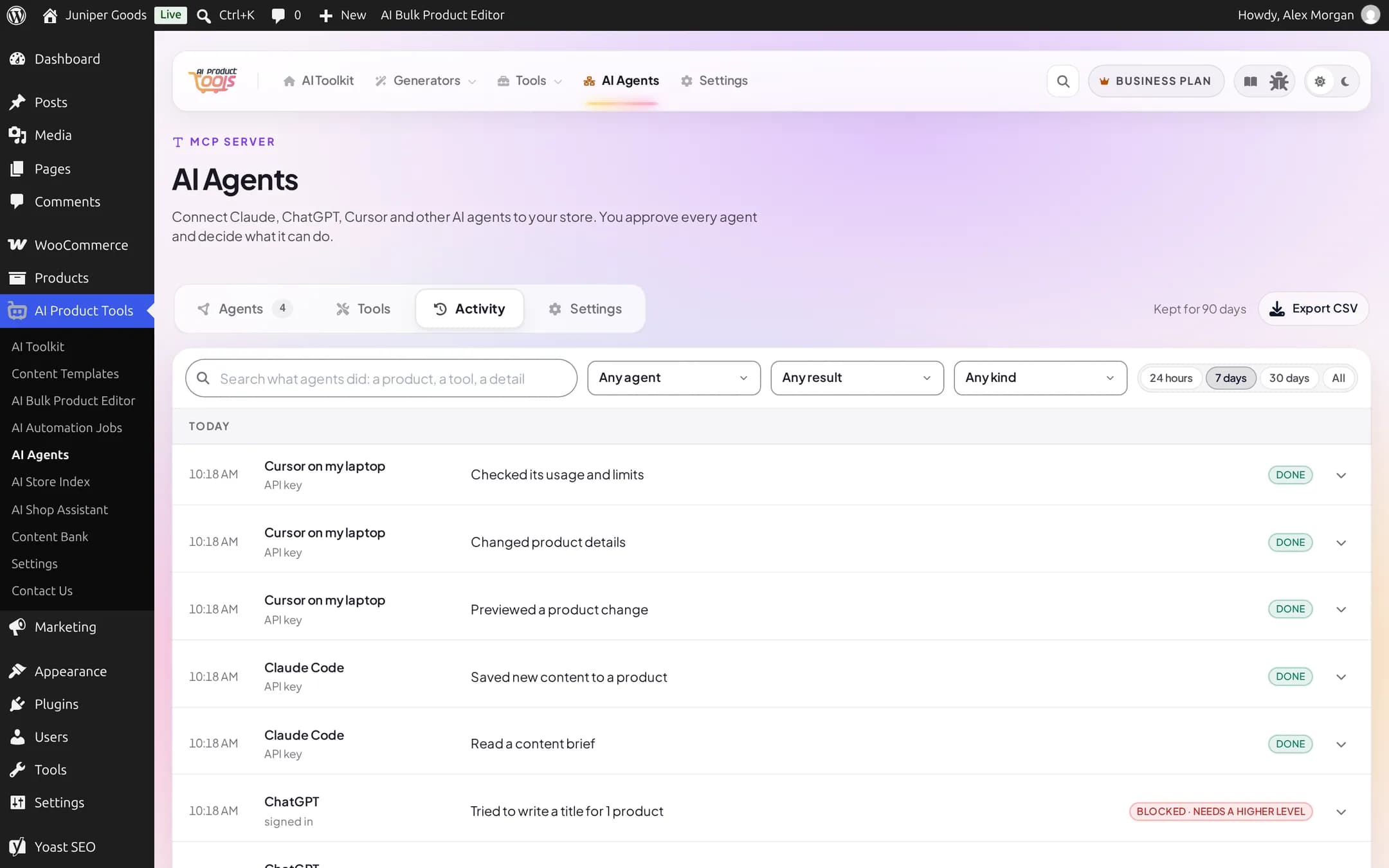
Find a request
- Search what agents did: a product, a tool, or a detail.
- Any agent: show one agent's requests. See its activity in an agent's Manage panel opens this tab already filtered to that agent.
- Any result: Done, Failed, Blocked or Slowed down.
- Any kind: Requests, Sign-ins, Refused sign-ins, New connections, Disconnections, and the other connection events.
- 24 hours, 7 days, 30 days or All: the period to show.
Read an entry
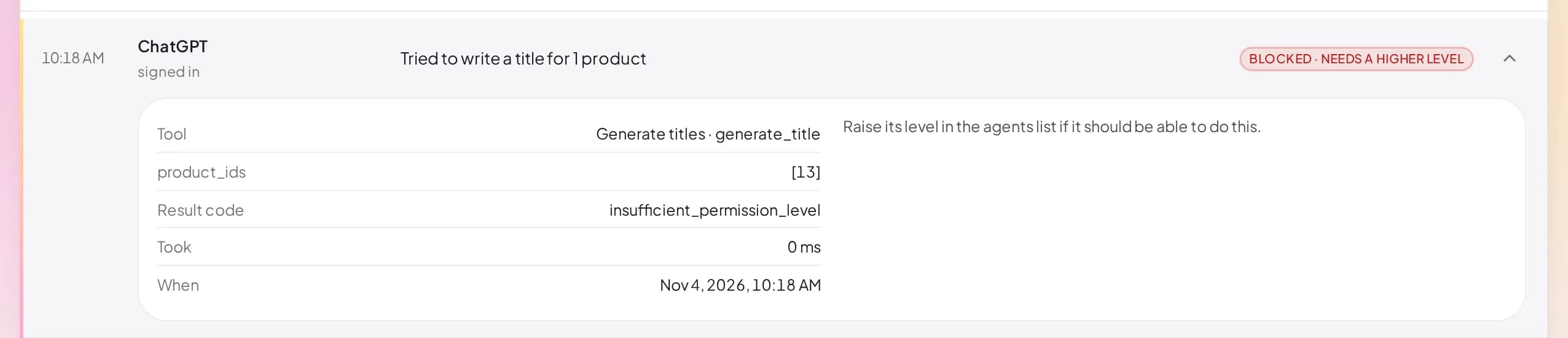
Click a row to open its details: the tool and its technical name, the inputs the agent sent (for example the product ids), the result code, how long it took, and when it happened. For a refused request, the right side says what to do.
Common results:
| Result | Meaning |
|---|---|
| Done | The request worked. |
| Connected | You approved the agent, or created its key. |
| Blocked, needs a higher level | The agent's permission level is too low for this tool. Raise it in the agents list if the agent should be able to do this. |
| Failed, needs Business | The request needs Business, for example content for several products at once on a Free store. The agent can repeat it one product at a time. |
| Slowed down | The agent sent too many requests in a short time. It can try again a little later. |
A refused request changes nothing, and it does not use your daily AI limit.
How long activity is kept
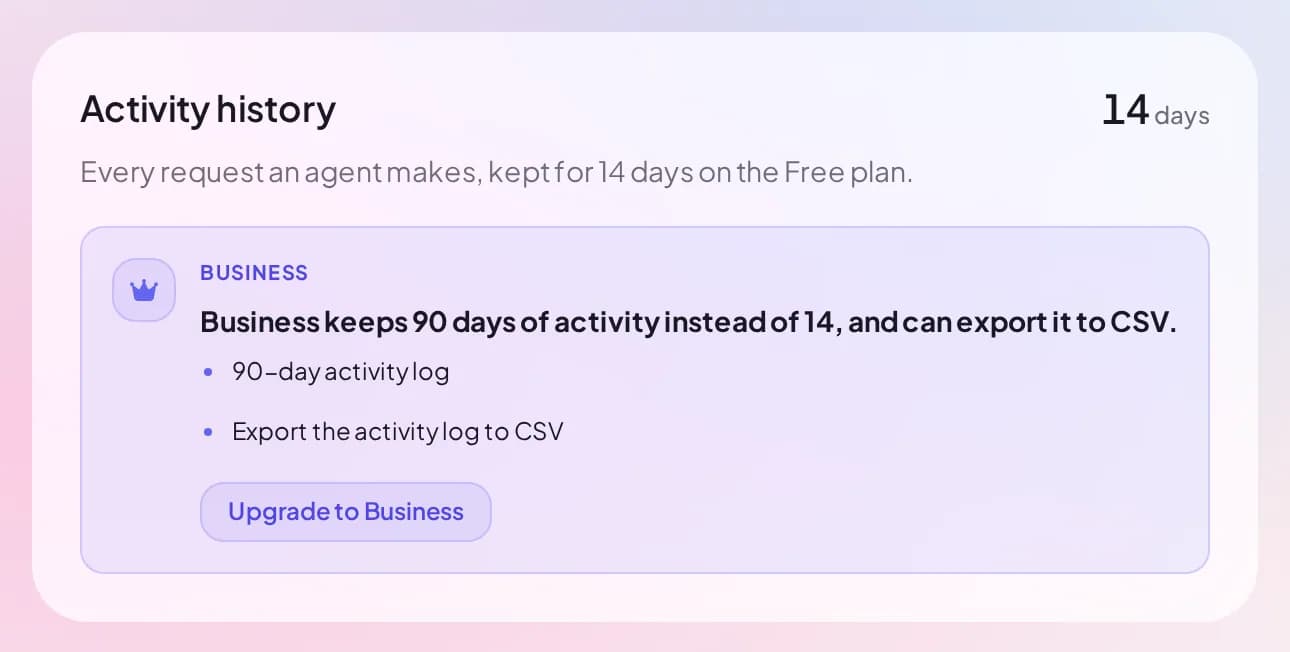
| Plan | Kept for | Export |
|---|---|---|
| Free | 14 days | No |
| Business | 90 days | Export CSV at the top of the tab |
The tab header always shows how long your store keeps activity, for example Kept for 90 days.
Agents can read their own activity
Agents have two tools for this: Read agent activity (get_mcp_activity_log) shows recent requests, and Check usage (get_mcp_usage) shows today's AI generations and the agent's limits. On Business, Export agent activity (export_mcp_activity_log) gives an agent the CSV file. You can switch any of them off on the Tools tab.